iblai-vibe-agent-settinglisted
Install: claude install-skill iblai/vibe
# /iblai-vibe-agent-setting
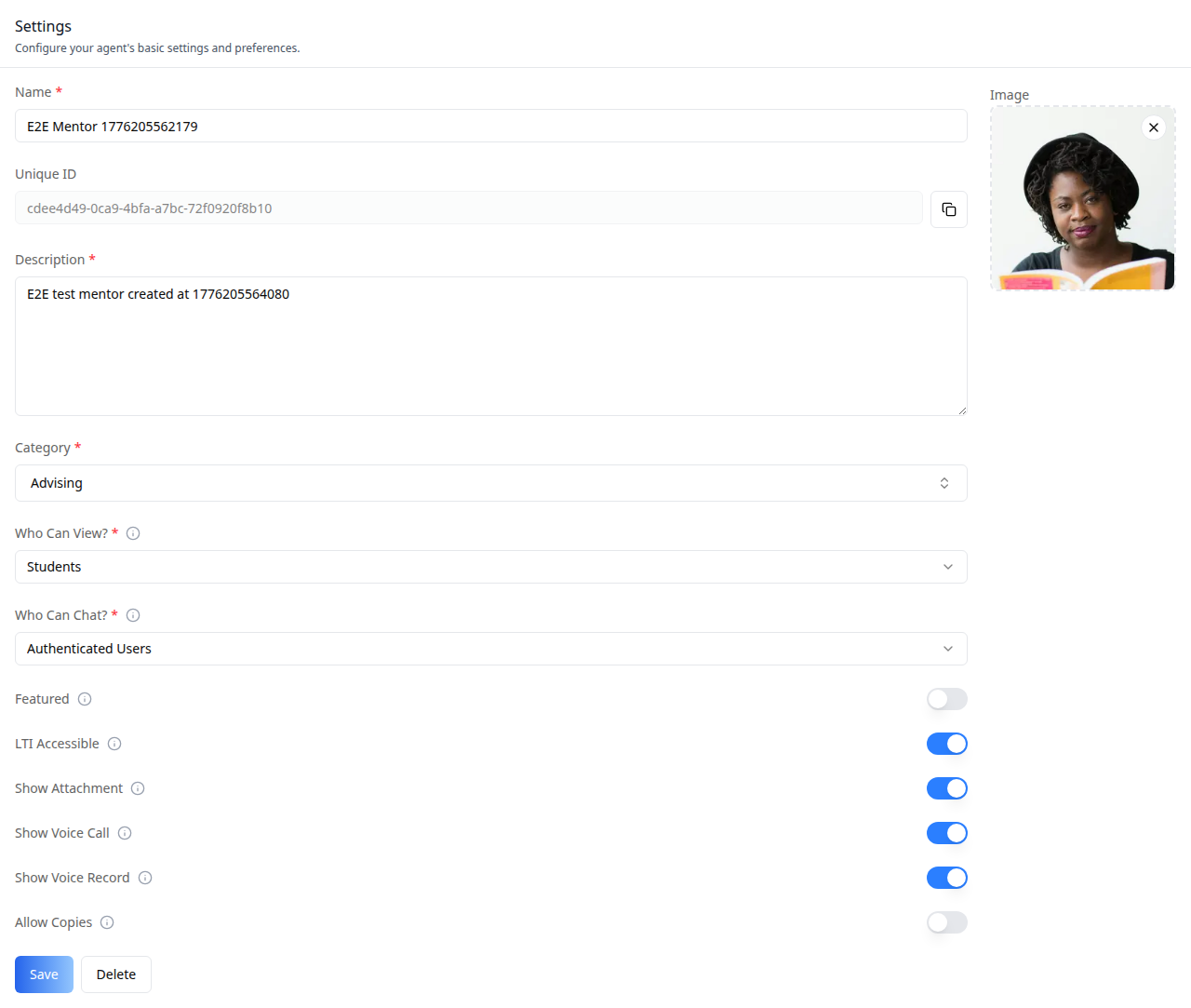
Add the agent **Settings tab** -- the core edit-mentor form with name,
description, avatar, visibility (administrators / students / anyone),
category, plus a Copy-to-tenant action and a Delete action. This is one
tab in the wider agent-settings family (`access`, `api`, `datasets`,
`disclaimers`, `embed`, `history`, `llm`, `memory`, `prompts`, `safety`,
`settings`, `tasks`, `tools`). Each tab is a separate skill. All tabs share the
same `AgentSettingsProvider` wrapper -- set it up once and mount as many
tabs as you need.
Do NOT add custom styles, colors, or CSS overrides to ibl.ai SDK components.
They ship with their own styling. Keep the components as-is.
Do NOT implement dark mode unless the user explicitly asks for it.
When building custom UI around SDK components, use the ibl.ai brand:
- **Primary**: `#0058cc`, **Gradient**: `linear-gradient(135deg, #00b0ef, #0058cc)`
- **Button**: `bg-gradient-to-r from-[#2563EB] to-[#93C5FD] text-white`
- **Font**: System sans-serif stack, **Style**: shadcn/ui new-york variant
- Follow the component hierarchy: use ibl.ai SDK components
(`@iblai/iblai-js`) first, then shadcn/ui for everything else
(`npx shadcn@latest add <component>`). Do NOT write custom components
when an ibl.ai or shadcn equivalent exists. Both share the same
Tailwind theme and render in ibl.a